


AI Whatsapp Support Desk
This workflow transforms your WhatsApp into an AI-powered support desk that answers customer questions using your FAQ and policy knowledge base. It resolves common enquiries instantly, provides consistent responses 24/7, and automatically escalates refunds, complaints, and other complex conversations to a human agent whenever AI confidence is low.
Use Cases
Workflow Diagram
How it Works
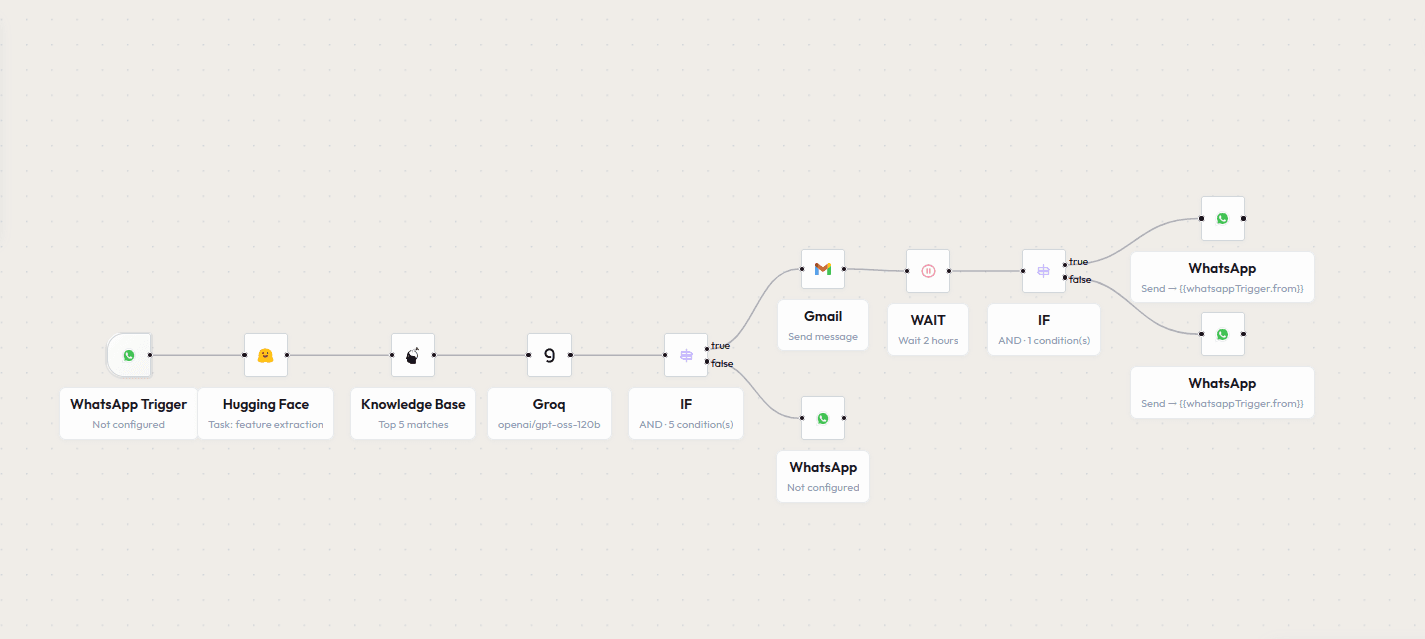
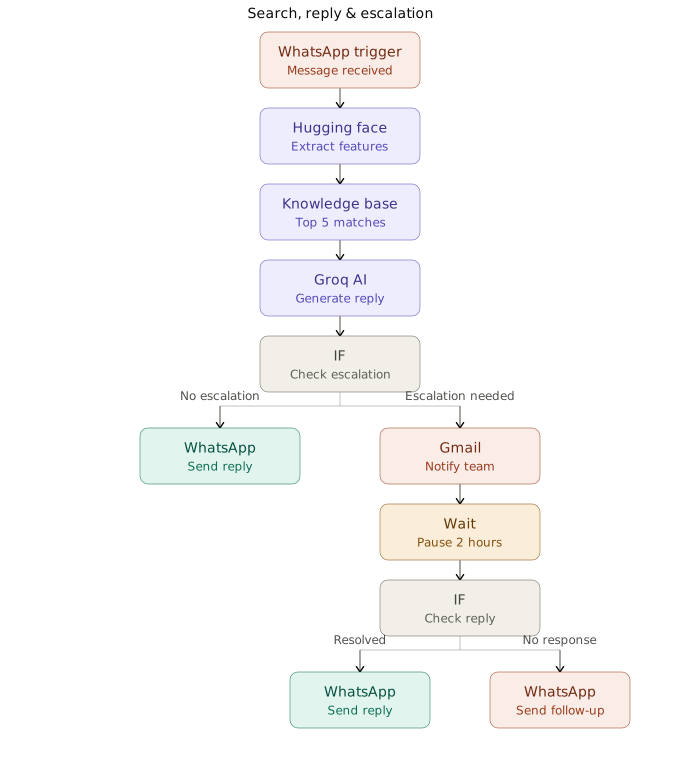
WhatsApp Trigger: The workflow starts when a customer sends a message on WhatsApp. The message is converted into an embedding and matched against the Knowledge Base, then Groq generates a draft reply.
Escalation Check: An IF condition evaluates the query to decide whether it can be answered directly or needs human attention.
Based on that check, the workflow takes the following actions:
- No Escalation Needed: Sends the AI-generated reply straight to the customer on WhatsApp.
- Escalation Needed: Notifies the support team by email and pauses for 2 hours to allow a human response.
- Team Responds: Once the team replies on Gmail, a second workflow checks the reply and routes it back to the customer with the right WhatsApp message.
- No Response in Time: If the wait period passes with no reply, sends a default follow-up message to the customer on WhatsApp.