



Whatsapp Lead Capture
This workflow automatically responds to customer enquiries through an AI-powered WhatsApp catalogue, answers product questions, captures lead details in Google Sheets, and notifies your sales team whenever a customer shows buying interest.
Use Cases
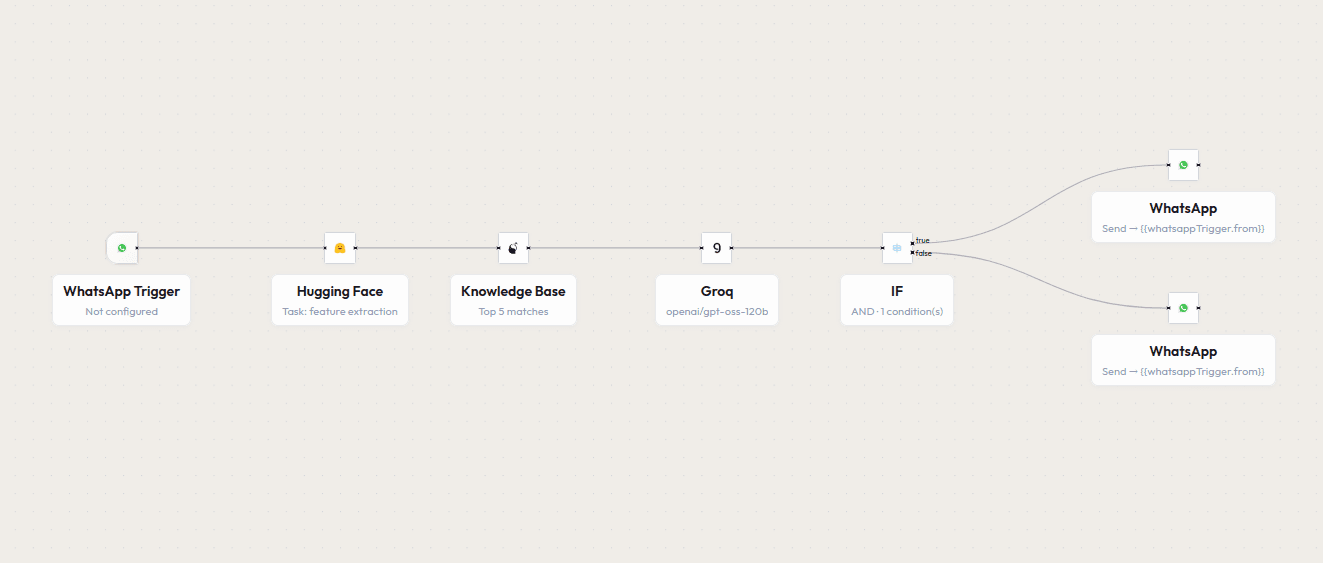
Workflow Diagram
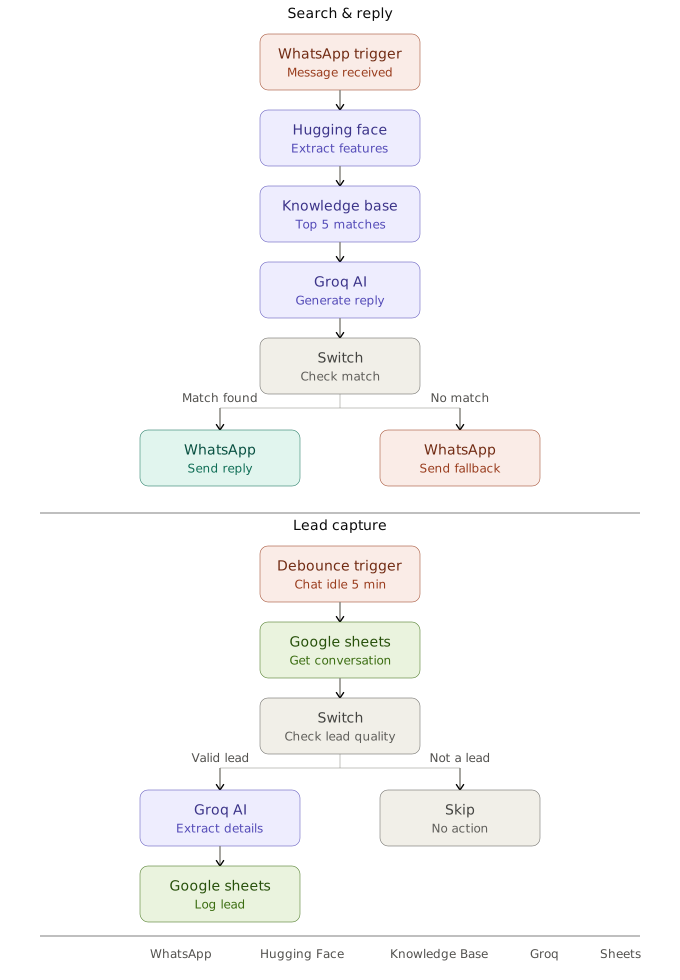
How it Works
Storing: The workflow starts when a catalogue or reference document is uploaded. The content is summarized and processed by AI, then converted into embeddings and saved to the Knowledge Base for instant retrieval.
Searching & Replying: When a customer messages on WhatsApp, the query is converted into an embedding and matched against the Knowledge Base to find the most relevant information, which the AI uses to generate a reply.
Based on the match confidence, the workflow takes the following actions:
- Match Found: Sends an accurate, AI-generated reply back to the customer on WhatsApp.
- No Confident Match: Sends a fallback message so the customer is never left without a response.
- Capturing Lead: Once a conversation goes idle, the AI reviews it and extracts lead details if the customer showed genuine interest.
- Update Records: Qualified leads are automatically logged into Google Sheets for easy follow-up.